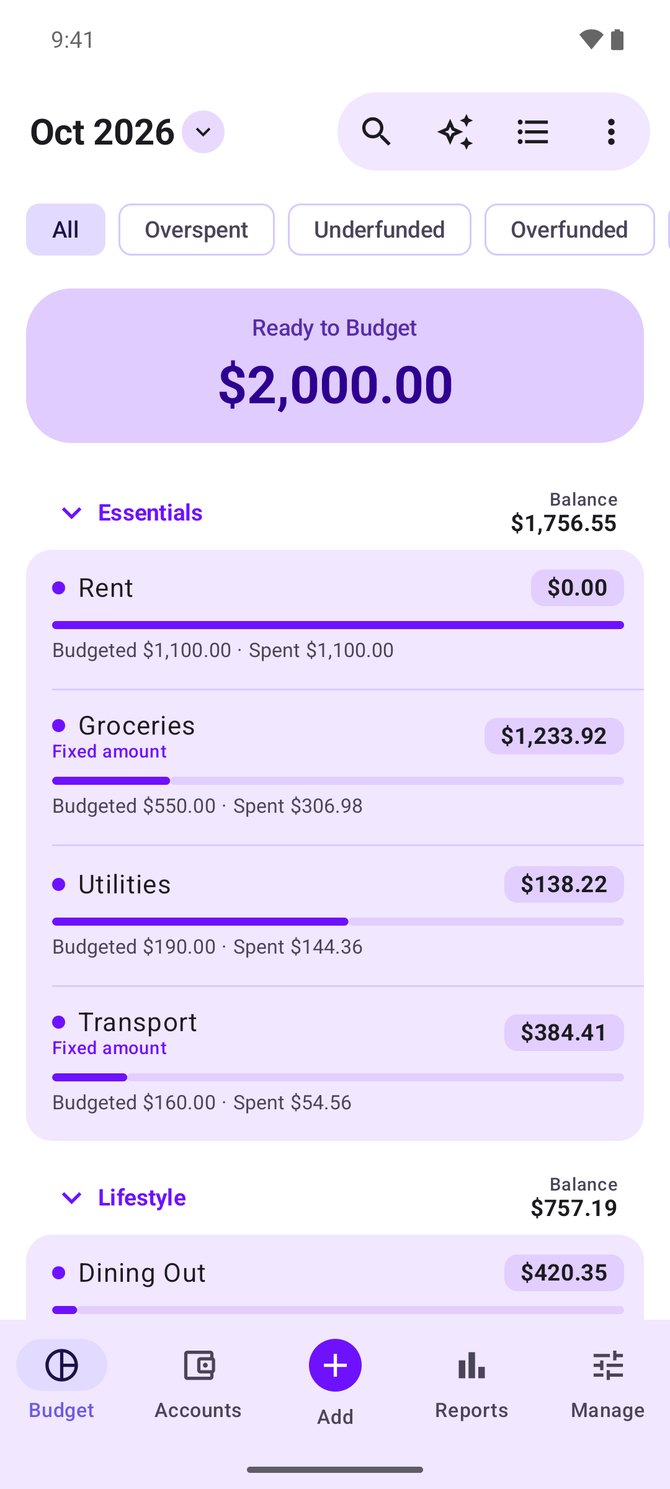
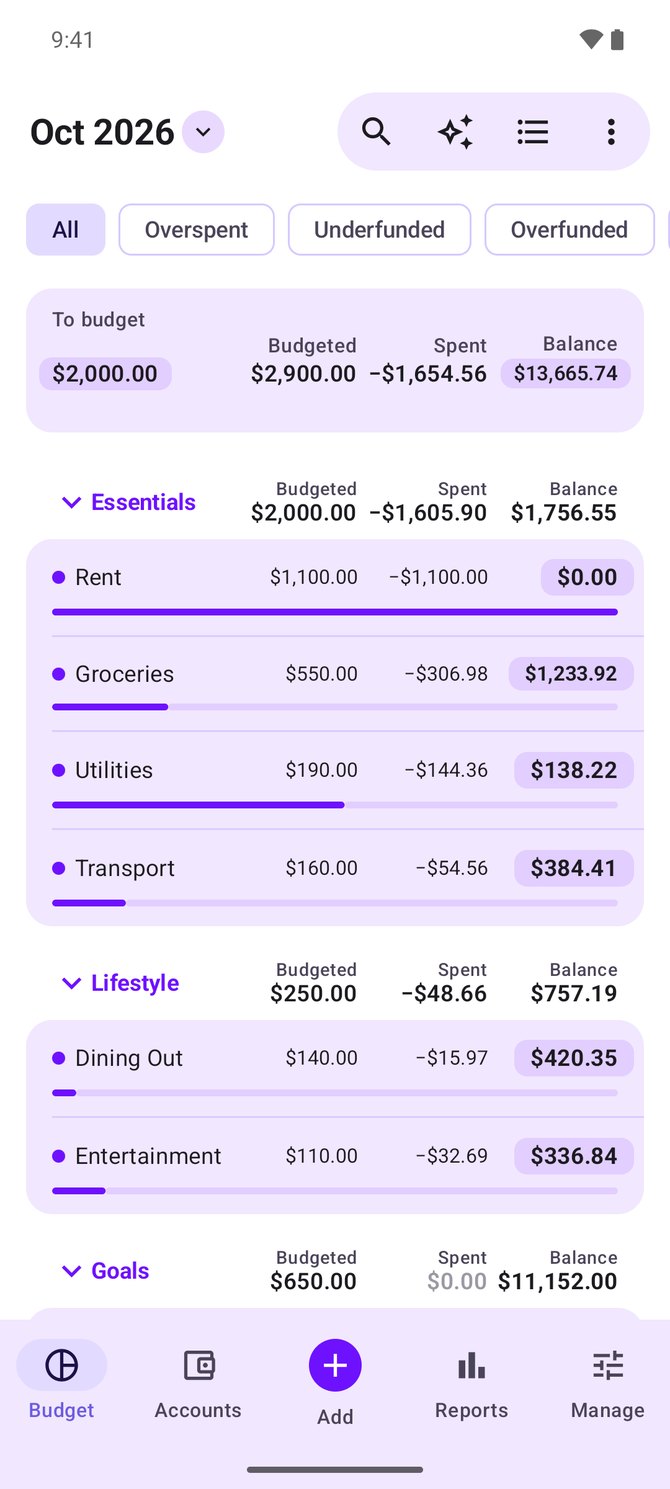
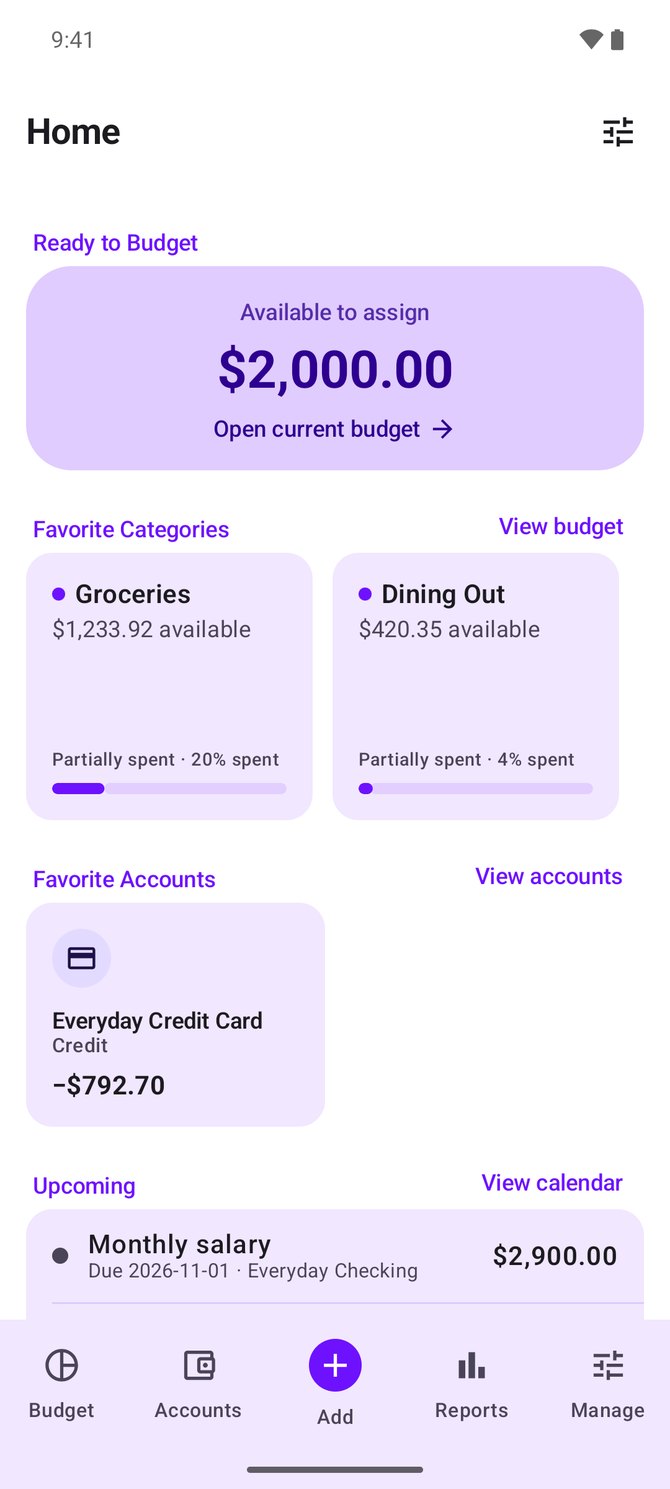
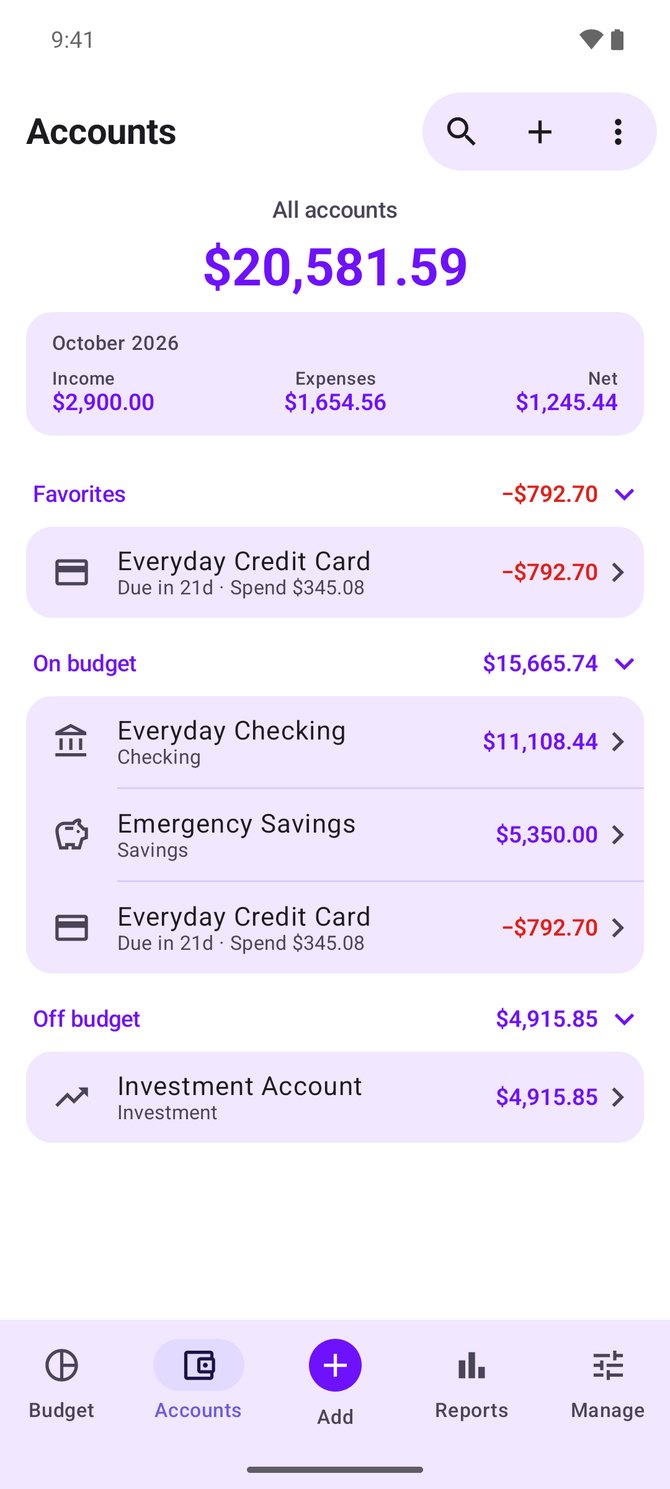
Native & smooth
Built with Kotlin and Jetpack Compose, with a Material You interface and optional dynamic color on Android 12+.
 Actua
Actua is a native Android client for Actual Budget, built with Kotlin and Jetpack Compose. Use standalone on-device budgets with encrypted Google Drive or WebDAV backup, or connect to your self-hosted server for seamless sync.
Now on Google Play · Android 9+ · Free & open source · GPLv3 licensed


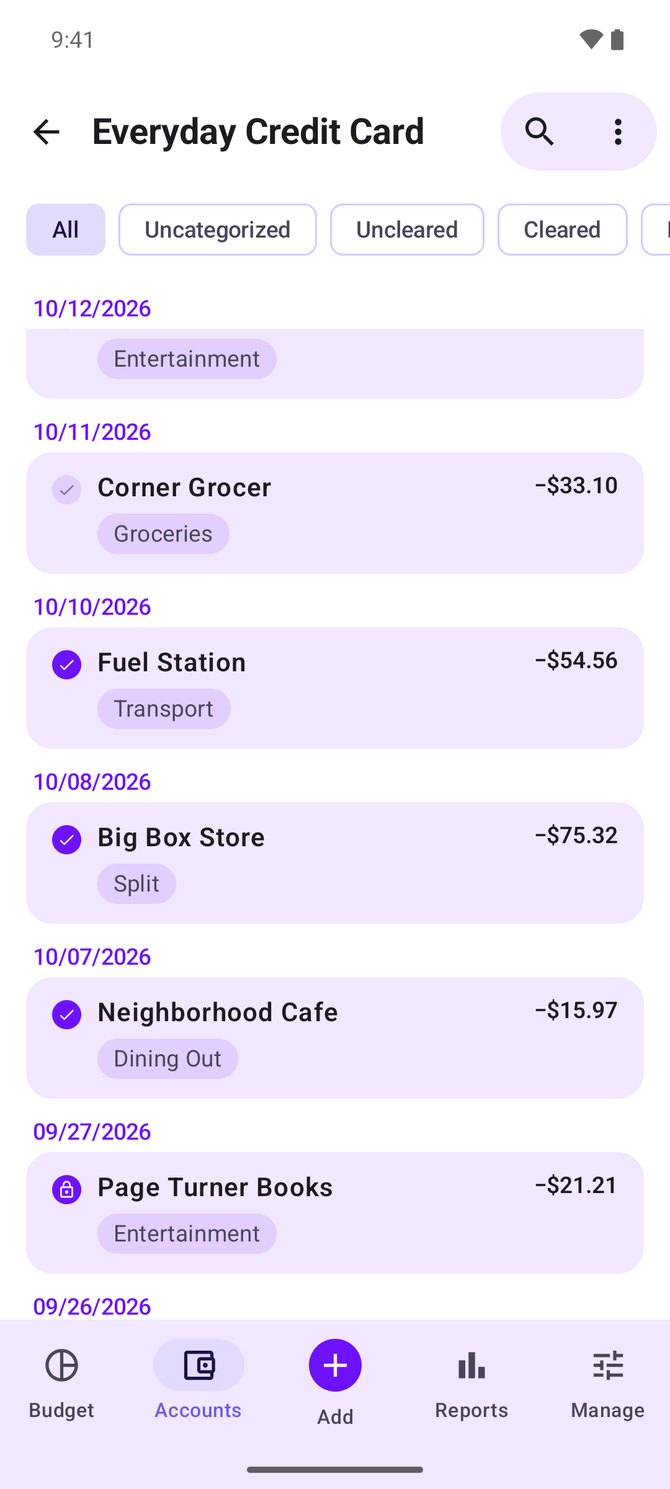
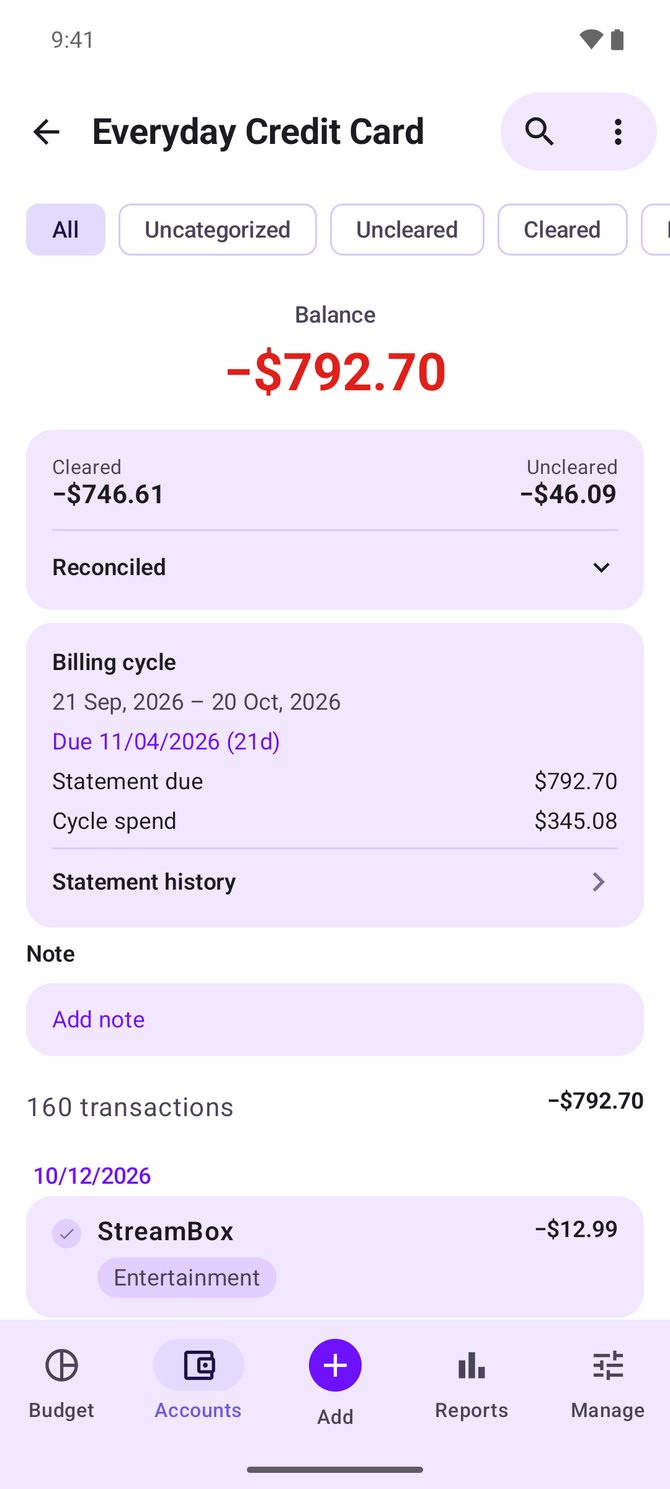
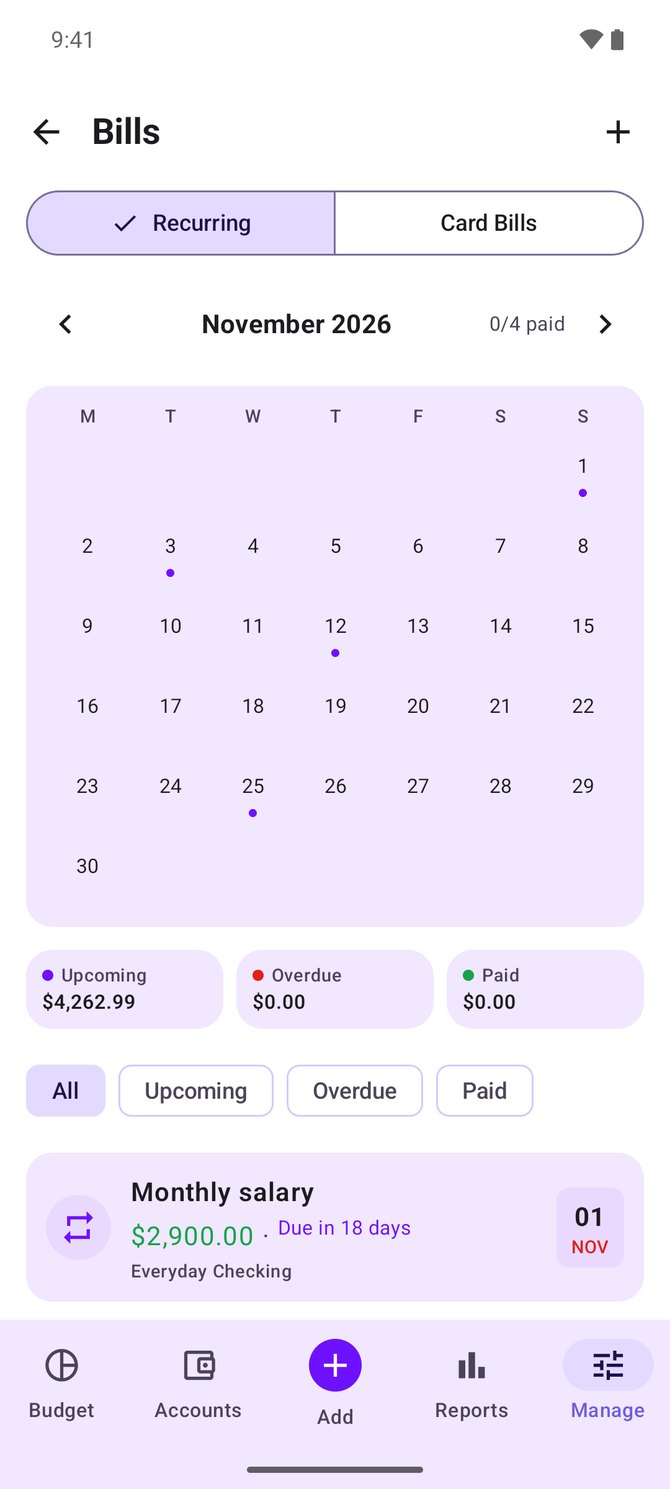
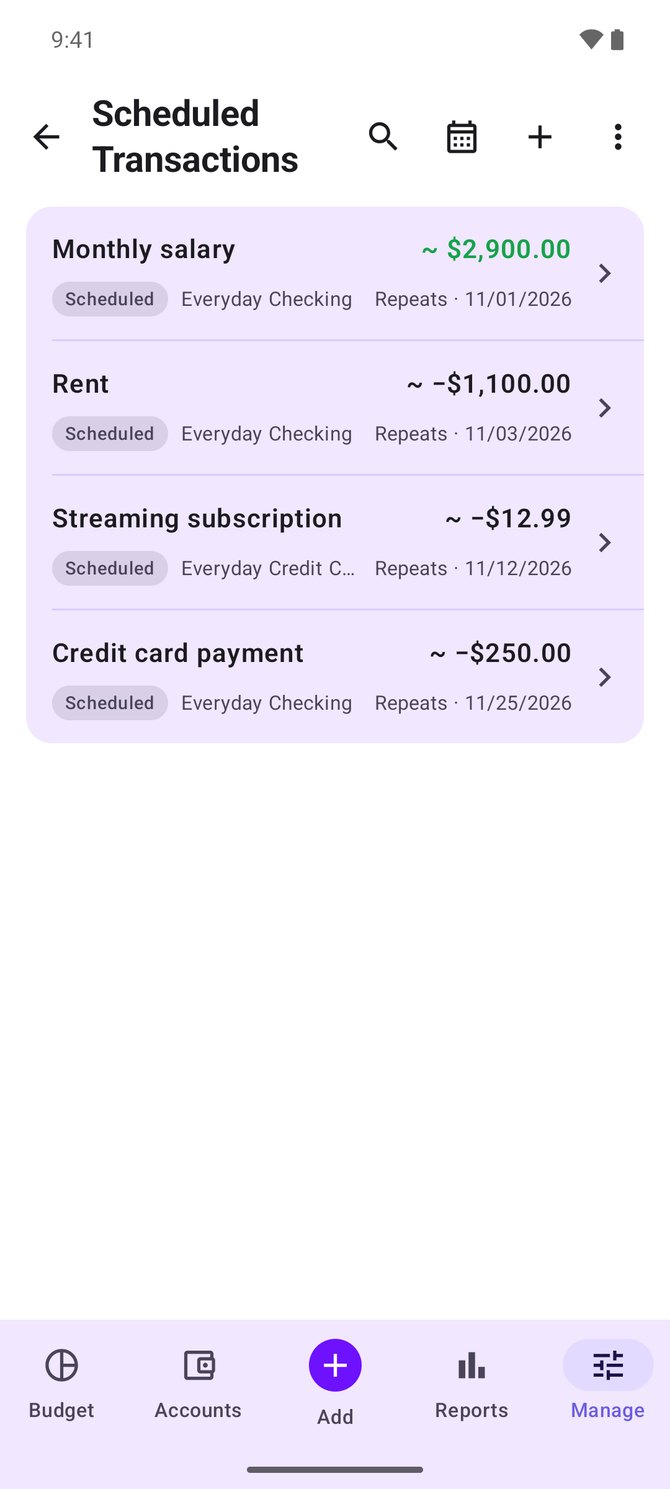
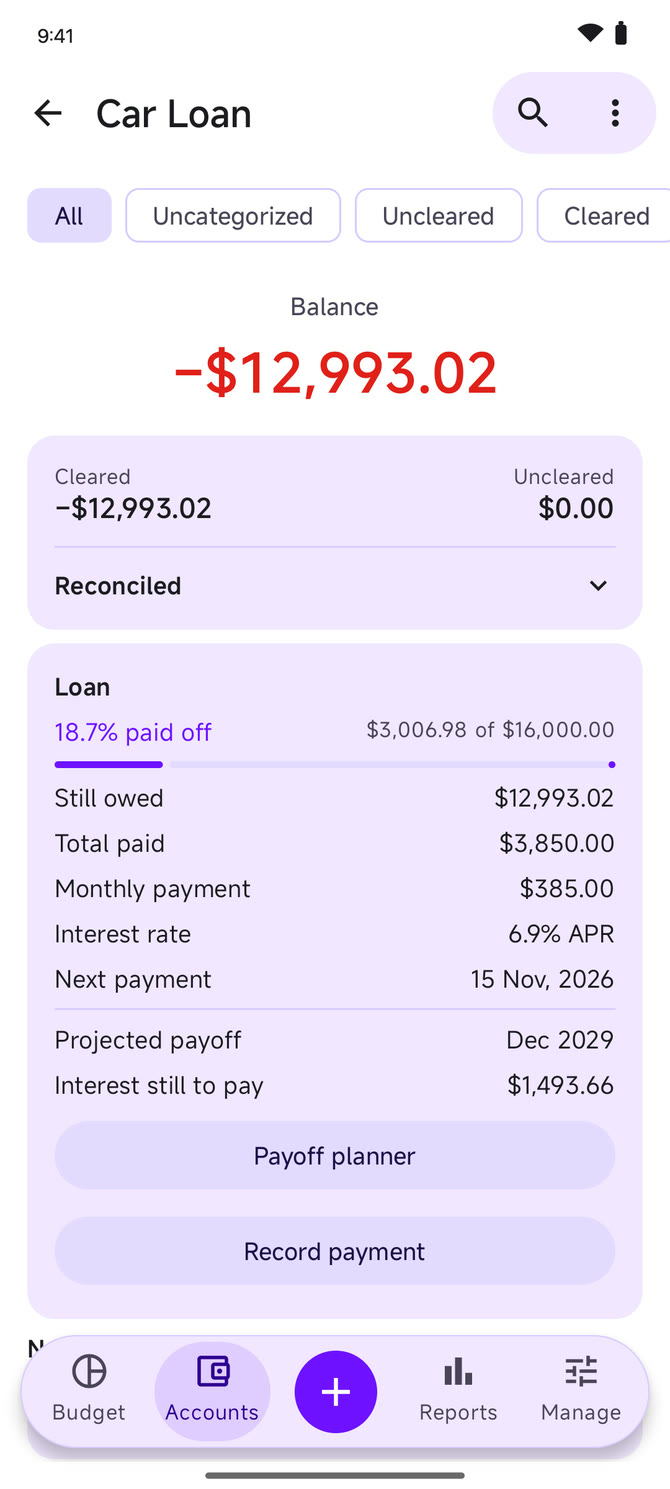
Plan and table budgets, accounts and loans, credit cards, reports and home-screen widgets, recorded on a demo budget.
Use standalone on-device budgets or connect to your Actual server, wherever you are.
Built with Kotlin and Jetpack Compose, with a Material You interface and optional dynamic color on Android 12+.
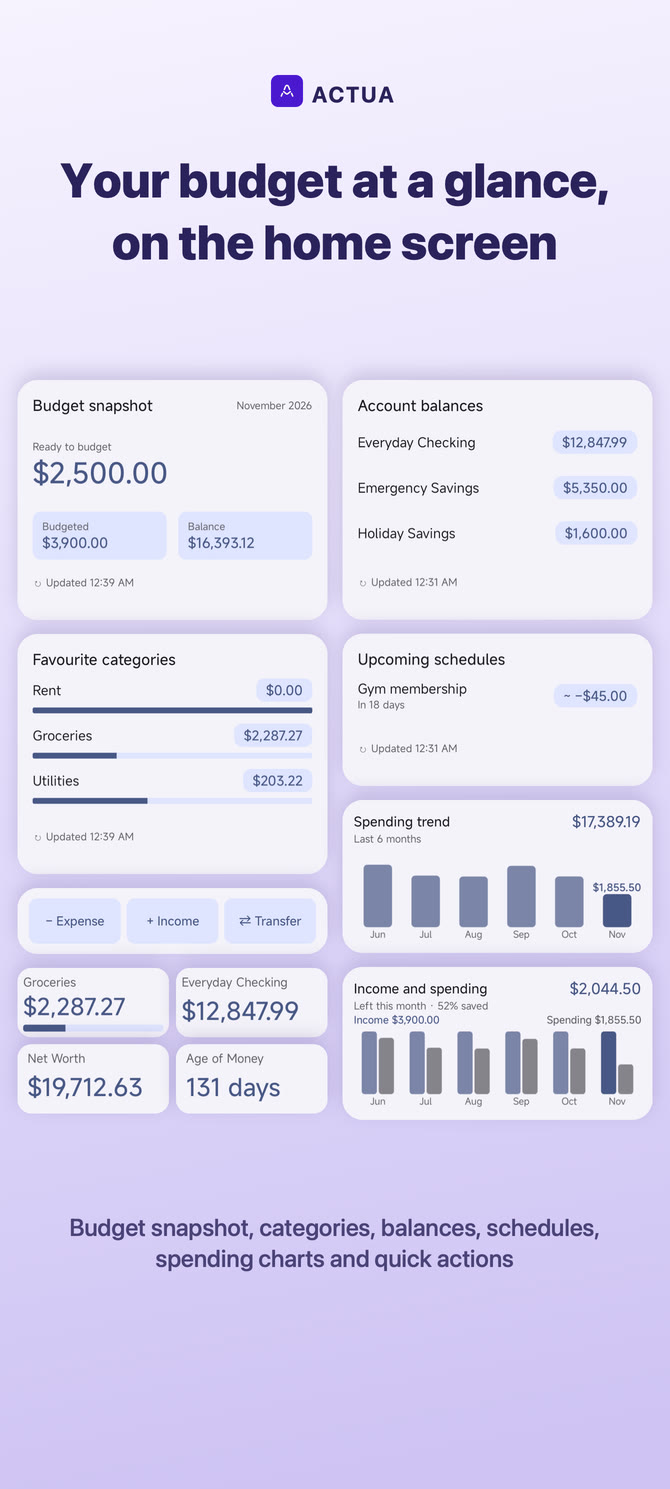
An at-a-glance overview of ready-to-budget, favorites, upcoming bills, and recent activity, plus home-screen widgets for your budget, accounts, schedules and spending.
Connect to self-hosted Actual Budget servers with password or OpenID/OIDC login, encrypted offline sync, and bank sync through SimpleFIN, GoCardless, Pluggy.ai, Akahu and Enable Banking.
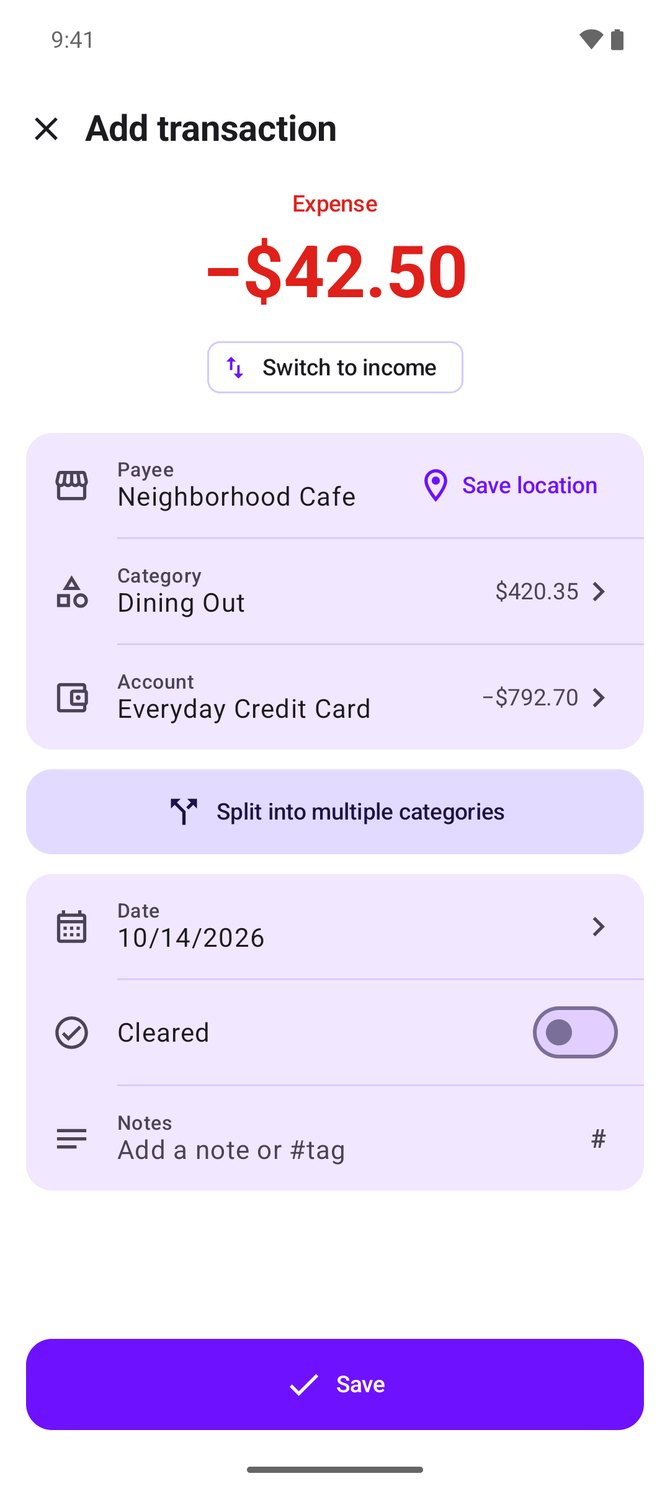
Add, edit, search, split, transfer, and reconcile transactions right from your phone, with a calculator-style amount keypad and optional receipt scanning.
Scheduled transactions, a bills calendar and payment reminders, credit cards with billing cycles, and loan accounts with a payoff planner.
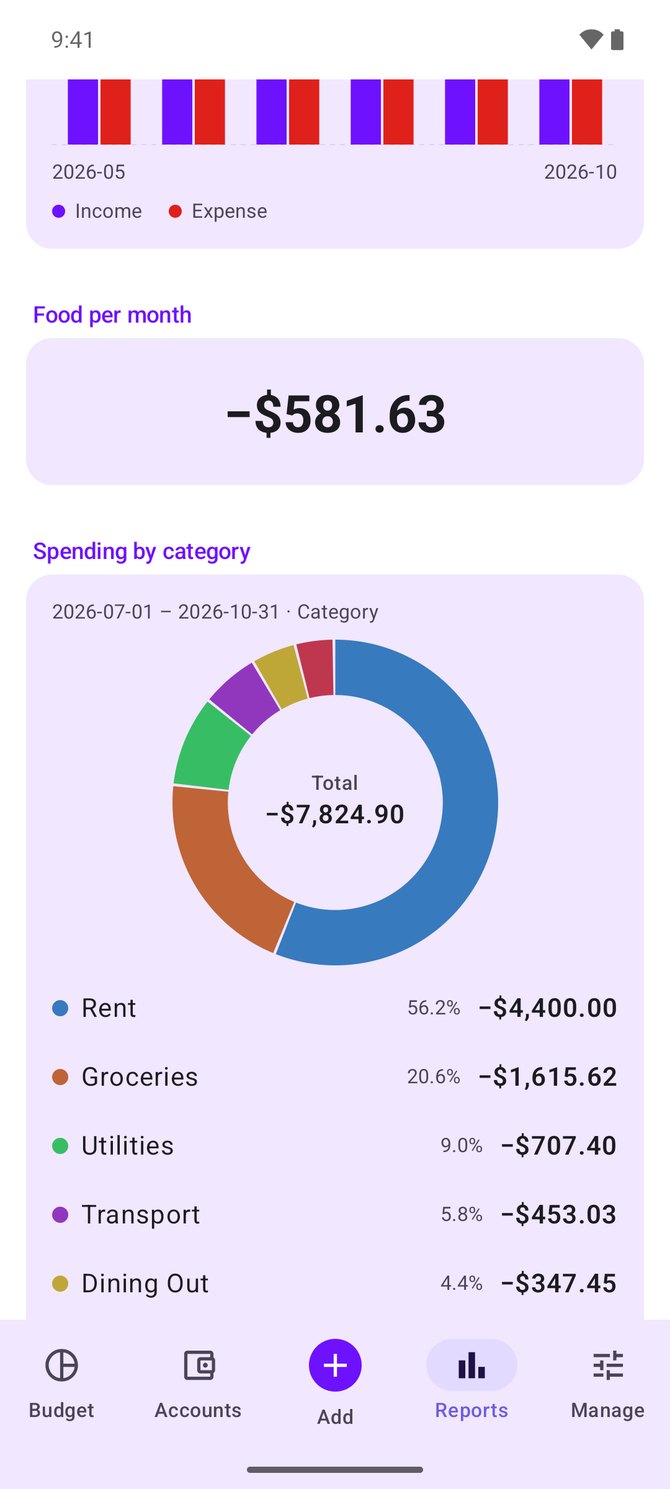
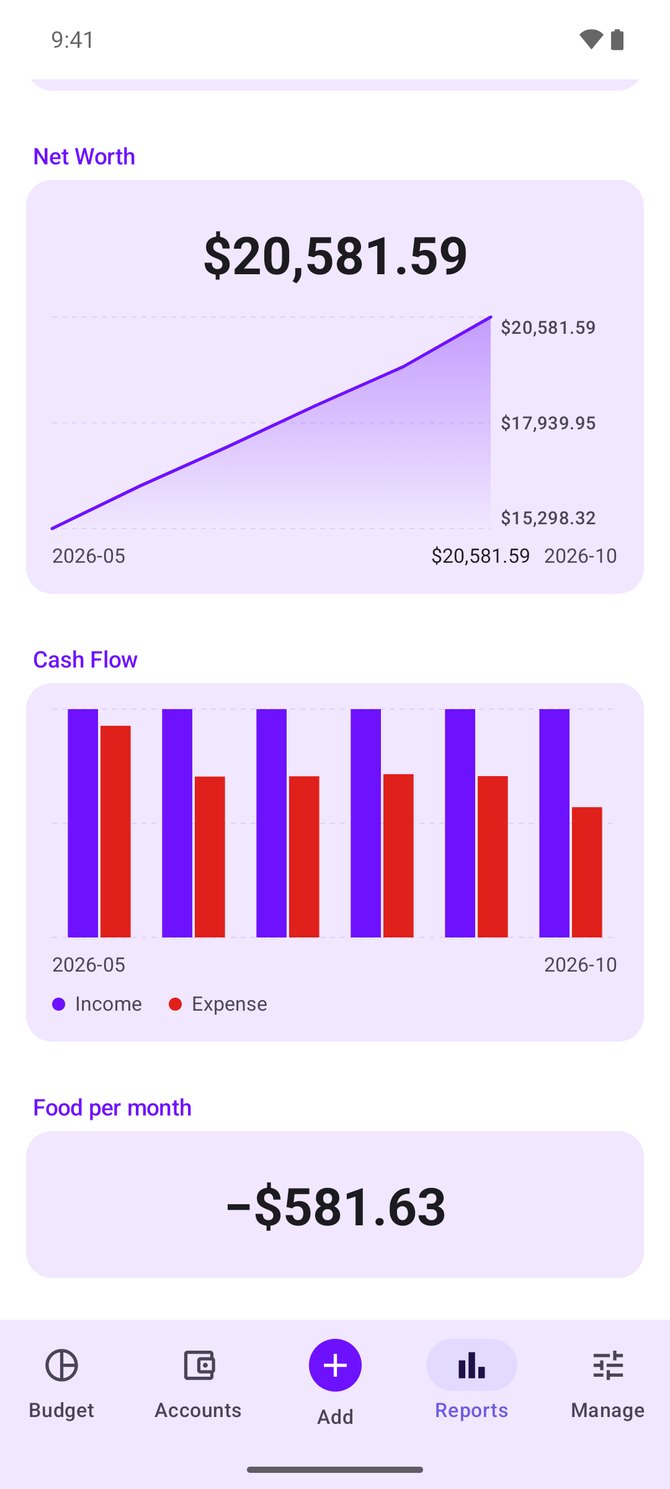
Actual's dashboard and saved custom reports, plus a custom report builder, with donut and per-interval charts, filtering, and drill-down to transactions.
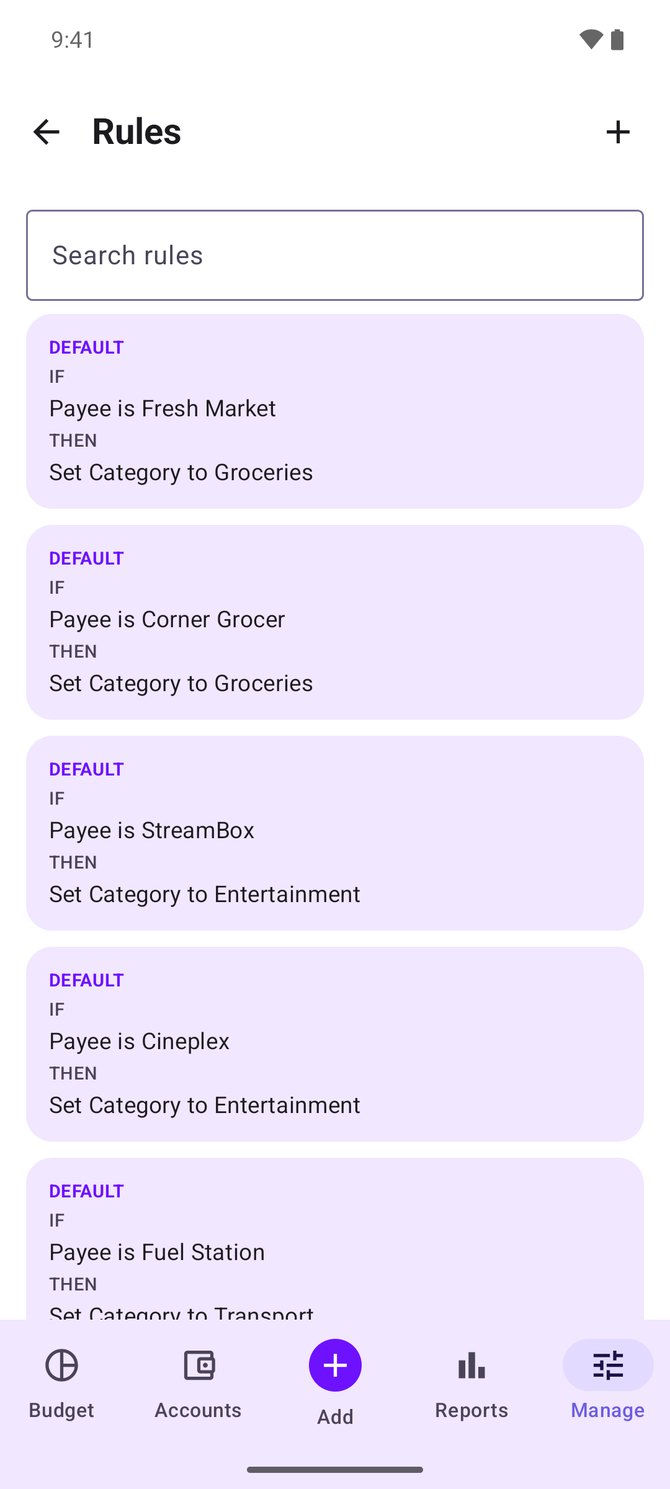
Automatic categorization with Actual's rules engine, bulk “Apply rule now”, plus CSV, XLSX, PDF, OFX/QFX/QIF, CAMT.053, SMS, notification, and Tasker imports.
Full envelope budgeting on-device without a server. Run schedules locally, import/export Actual archives, and back up to Google Drive or a WebDAV server such as Nextcloud with client-side encryption.
Actua is community-driven. Inspect the code, report issues, suggest ideas, or share feedback on GitHub.
Actua brings the familiar ideas of Actual Budget into an interface designed around touch, Material You, and Android conventions.

Real screenshots from Actua's demo budget, shown in light or dark to match your device.
Budgeting always stays free. Supporters of the Google Play version unlock cosmetic extras under Settings → Supporter extras.
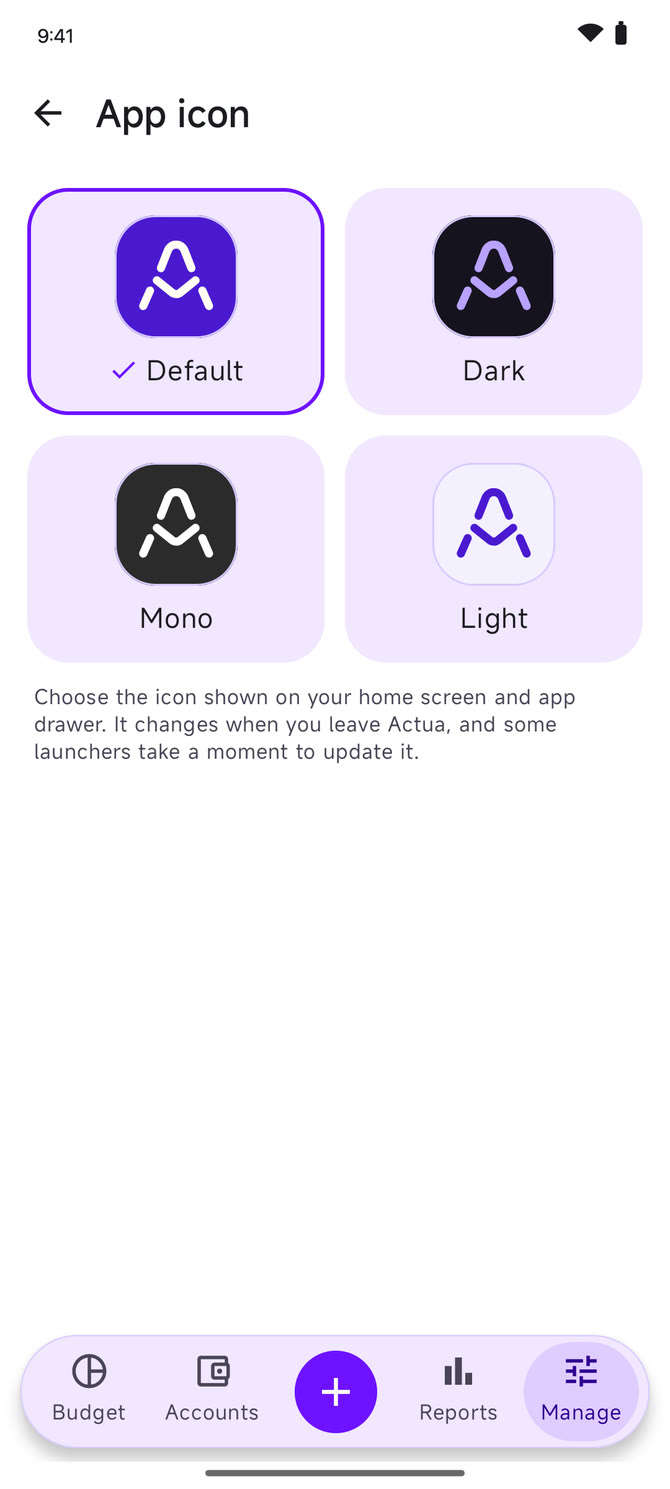
Dark, Mono and Light join the default icon on your home screen and app drawer.
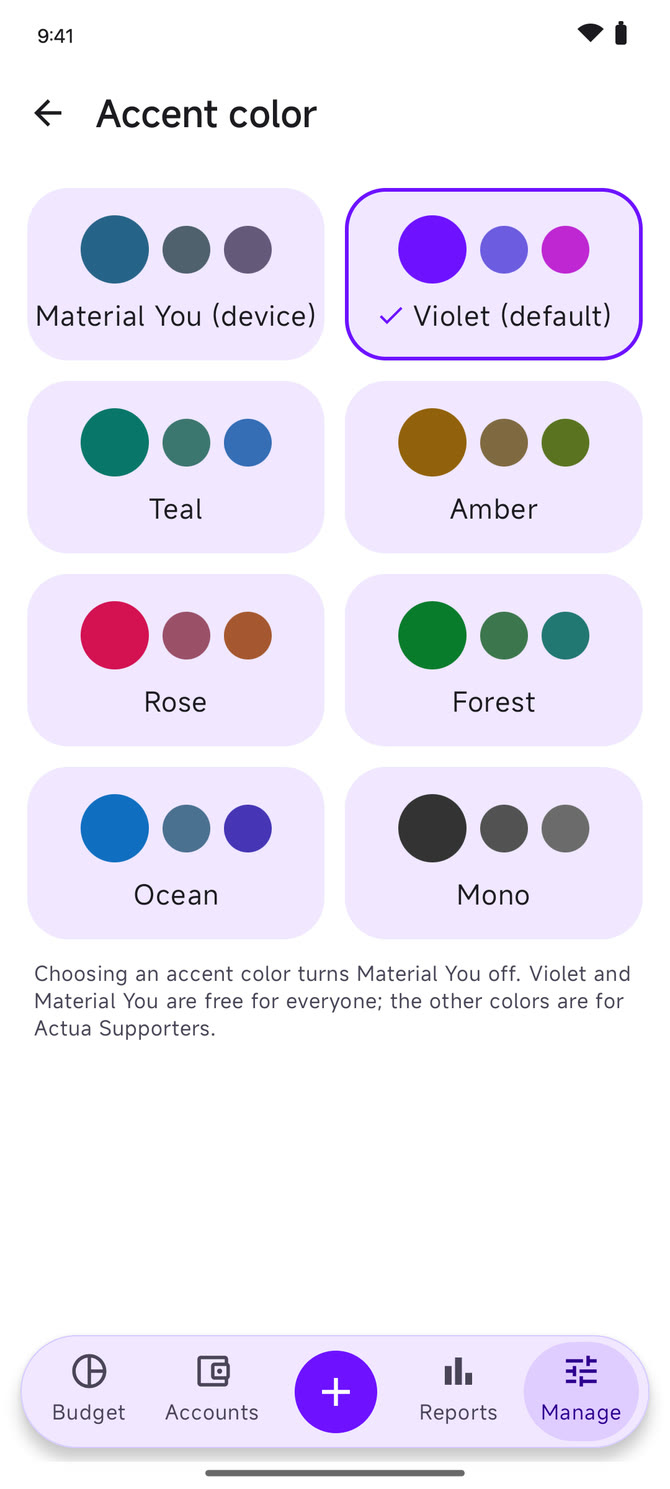
Teal, Amber, Rose, Forest, Ocean and Mono recolor every screen to match. Violet and Material You stay free for everyone.
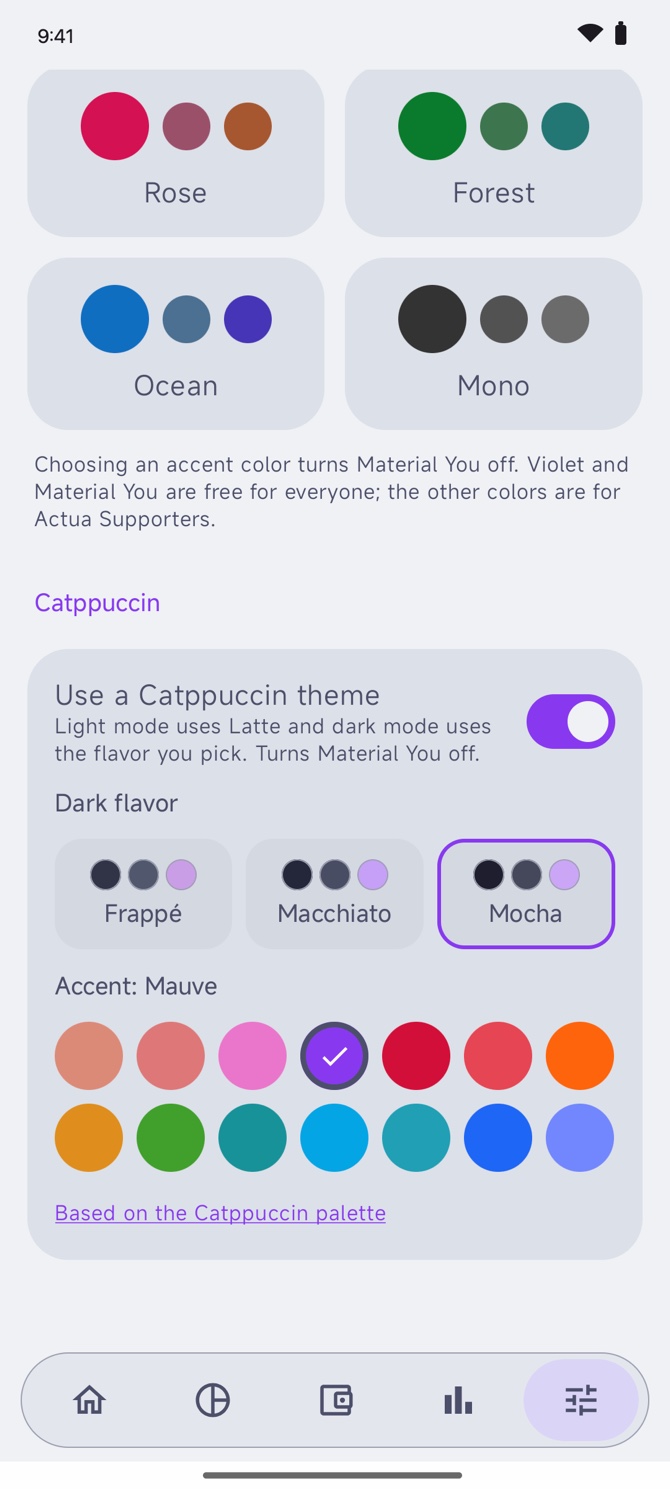
Latte for light mode and Frappé, Macchiato or Mocha for dark, with your pick of 14 accents. Based on the Catppuccin palette.
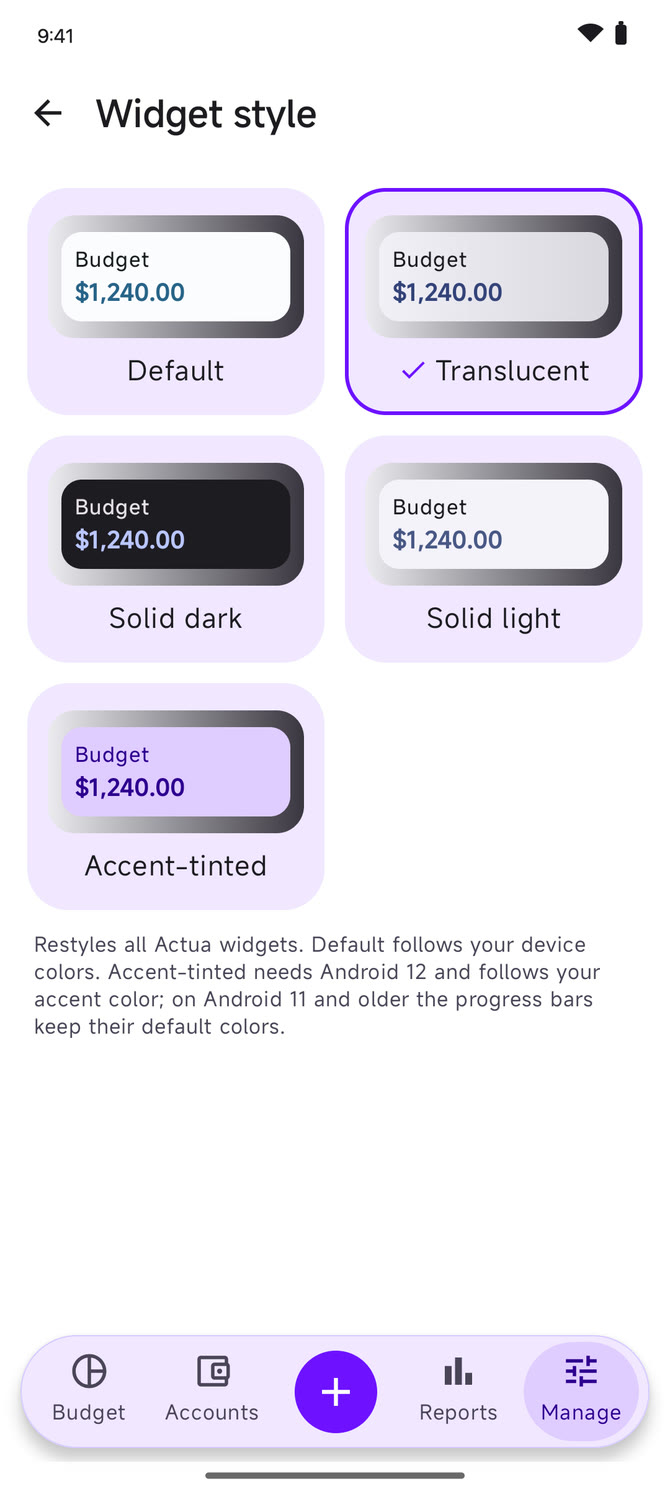
Restyle every home-screen widget as Translucent, Solid dark, Solid light or Accent-tinted.
A short confetti burst when Ready to budget reaches zero or you finish a reconciliation.
A hello with a few counts, like transactions to categorize and bills due this week, once a day on your start page, on Home and on Support Actua. Never any amounts.
A permanent badge, once or monthly. Pay what you like: every price gives the same badge.
Budgeting, sync, backups and every other feature are free and open source. Supporter extras are purely cosmetic.
Install Actua from Google Play for automatic updates. You can also download the APK from GitHub Releases, or add Actua to Obtainium for update notifications and in-place upgrades. No server yet? Explore the app with the built-in local demo budget.
Actua is built in the open. Join the community, test new releases, report bugs, or share feedback.
Yes. Actua is free and open source under the GNU General Public License v3.0. You never need to pay or subscribe to use it. The Google Play build has an optional “Support Actua” purchase, once or as a monthly subscription you can cancel anytime in Google Play, if you want to chip in. Supporters also get cosmetic extras such as app icons, accent colors, Catppuccin themes and widget styles; budgeting always stays free.
No. Actua is an independent open-source project and is not affiliated with or endorsed by Actual Budget.
Actual Budget is a privacy-focused, local-first personal finance and budgeting application that you can self-host. Visit actualbudget.org to learn more.
No. Actua supports standalone on-device budgets with zero server or Docker setup required. You get the full envelope budgeting engine, local recurring schedules, and standard Actual .zip archive import and export. You can also back up to Google Drive with client-side authenticated encryption, or connect to a self-hosted server anytime.
Yes. Standalone budgets operate 100% locally on your device without an internet connection. When connected to an Actual Budget server, Actua keeps an on-device copy for offline use and synchronizes changes with encrypted sync whenever you're back online.
Actua keeps rolling automatic local backups on your device. For cloud safety, you can optionally enable Google Drive backups, or backups to a WebDAV server such as Nextcloud, ownCloud or a NAS, protected by client-side AES-256-GCM encryption with your own passphrase (PBKDF2). Because encryption happens entirely on your device before upload, the storage provider never sees your budget data.
Actua can write changes to your synchronized Actual budget. We recommend backing up important budgets before connecting a new client, and reporting any unexpected sync behavior on GitHub.
No. Actua has no analytics, ads, or third-party tracking. Your budget data only ever goes to the Actual server you configure, and credentials are stored securely in the Android Keystore. Receipt scanning in the Google Play version reads photos on your phone with Google ML Kit, which may send technical diagnostics to Google, never your receipt or budget data. Read the full privacy policy for details.
Actua requires Android 9 or newer. Dynamic Material You theming is available on Android 12+.
Open an issue on GitHub, or join Discord to discuss it with the community.
Yes. Actua is on Google Play for everyone, with automatic updates. You can also download the APK from GitHub Releases (the -full APK includes receipt scanning) or use Obtainium.
Actua is built and maintained by Azimul Kabir Apu with feedback from the community, and was originally based on and informed by Actuali, the open-source iOS client by Matt Farrell.